
Tools & Templates / Research & Writing
Research & Writing Tools
Structured resources for moving from an assignment or research question to evidence, synthesis, drafting, and final quality checks—with the repetitive organization handled for you.
Text Lens
Analyze readability, sentence structure, lexical diversity, repeated phrases, PMI-scored collocations, and a transparent lexicon-based sentiment signal; search with KWIC concordance; manage local corpora grouped by Text A/Text B; label focus and reference roles; compare targets against one document, the remaining corpus, or a custom reference set; and save/restore source-free corpus setups. Processing stays in the browser.
APA 7 Research Writing Toolkit
A coordinated set rather than a single blank template: a formatted APA 7 student-paper Word document, a participant guide, and an automated research-planning workbook.
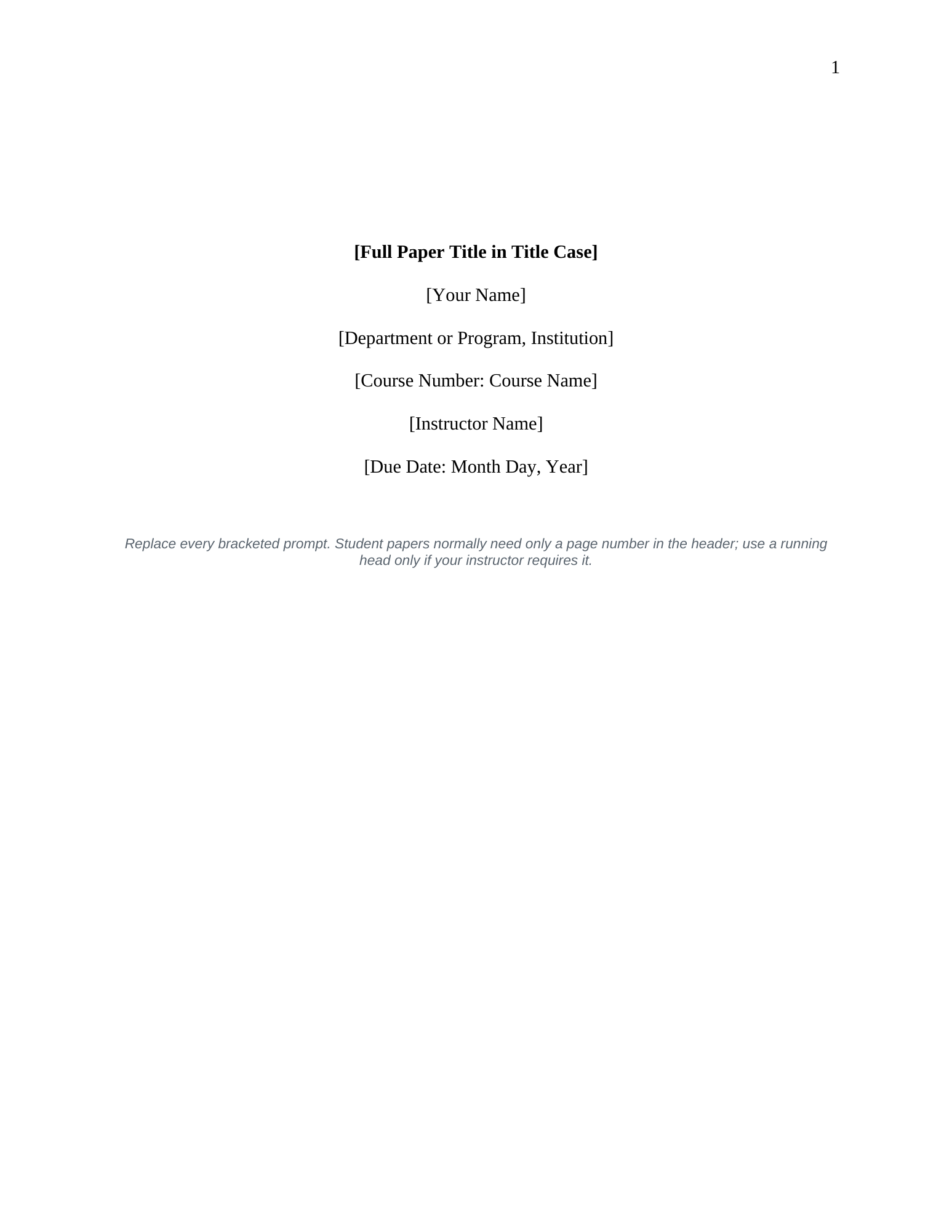
Margins, spacing, page number, APA heading levels, hanging-indent reference style, block-quote style, and optional abstract page.
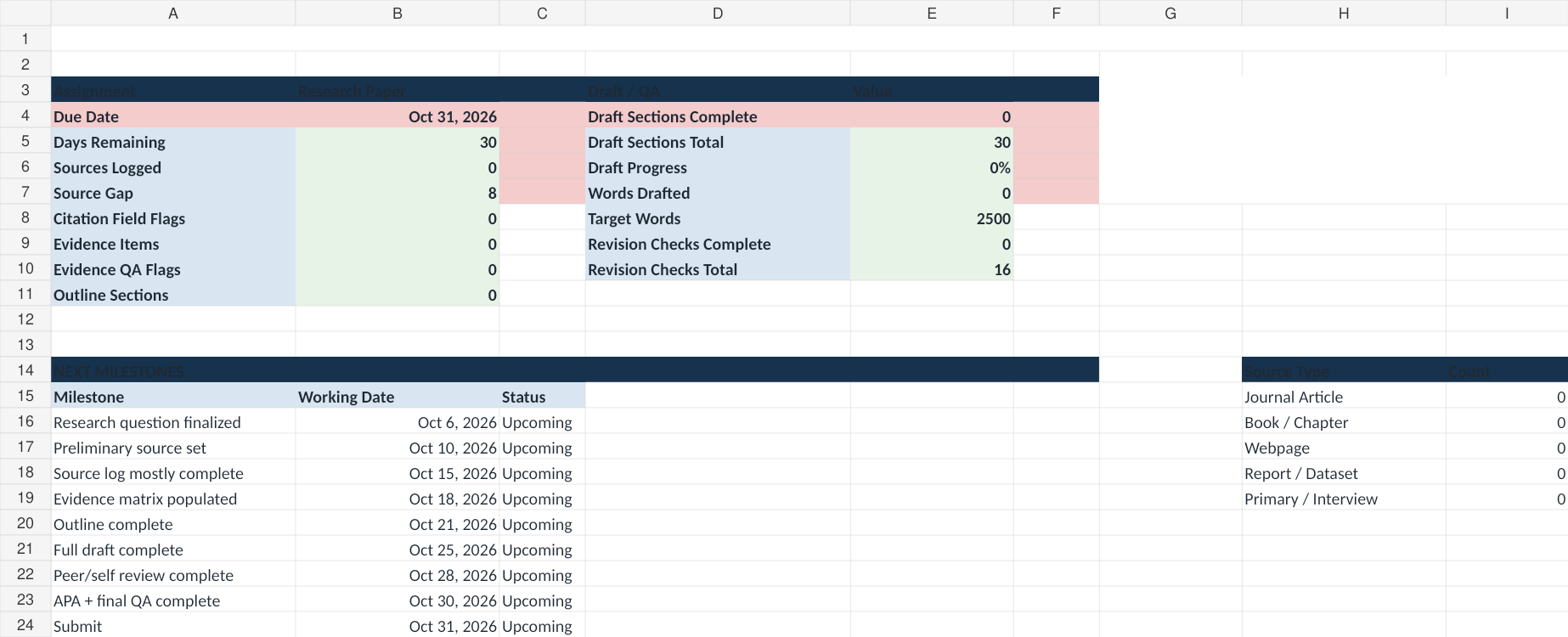
Assignment, research question, milestones, source log, evidence matrix, outline, draft tracker, revision QA, and dashboard.
Missing citation-field flags, quote-location checks, evidence gaps, source mix, draft progress, and final QA.
Literature Review & Evidence Synthesis Matrix
A workbook designed to move beyond source-by-source summary. It makes cross-source patterns, contradictions, methodological differences, anomalies, and gaps visible before the researcher writes a synthesis claim.
Workflow: source → finding → theme → pattern → contradiction → method/context explanation → gap → qualified claim.
- search and source logs
- finding-level evidence capture
- source-by-theme and source-by-claim coverage matrices
- supporting, contradicting, and complicating evidence counts
- method-composition view
- gap and anomaly tracking
- synthesis and draft planning
Research Project Ethics & IRB Readiness Toolkit
A planning workbook for moving from a focused research question to a documented methods, participant/data, consent, privacy, recruitment, and review plan before data collection begins.
Broad topic → focused question → method → evidence → sampling → analysis → limits → revision point.
Participants, direct interaction, private information, identifiability, sensitive data, authority relationships, storage, and transfers.
Flags human-participant, identifiable-data, vulnerability, sensitive-topic, authority-relationship, deception, consent, privacy, justice, and timing questions for review.
Purpose, procedures, duration, risks, benefits, voluntariness, withdrawal, privacy, contacts, language access, recording, and future use.
Data minimization, linkage-file separation, access, retention, fair selection, recruitment pressure, compensation, and burden.
Tracks protocol materials, training, permissions, review documentation, unresolved issues, and the next action.
Boundary: this is a planning/readiness aid, not an IRB determination or substitute for institutional review. It deliberately tells users when to consult their IRB or research-ethics office rather than attempting to declare a project exempt or outside review.
Quantitative Research & Statistical Analysis Planner
A planning and interpretation workbook for moving from a quantitative research question to a documented variable dictionary, hypothesis map, candidate analysis, assumption checks, results log, and transparent reporting workflow.
Variable names, labels, roles, measurement types, coding, missing values, expected ranges, reverse scoring, derivations, and source/instrument fields.
Separates primary, secondary, exploratory, and descriptive questions and records null/alternative hypotheses, direction, planned analysis, effect size, multiplicity, and preregistration status.
Uses the study-purpose, outcome type, group structure, pairing, and prediction/association inputs to surface a candidate analysis plus assumptions that must be checked.
Predefines missing-data, exclusion, outlier, transformation, scale-scoring, multiple-testing, robustness, independence, variance, linearity, and model-diagnostic decisions.
Keeps N, statistic, p, effect size, confidence interval, adjustment, assumption issues, and a qualified interpretation together rather than treating significance as the conclusion.
Checks sample flow, measurement, diagnostics, primary/exploratory labeling, effect sizes, uncertainty, reproducibility, limitations, and remaining gaps.
Boundary: the router is a planning aid, not an automatic statistical decision-maker. Complex designs, dependence structures, missingness, nonstandard outcomes, or high-stakes analyses may require specialized statistical review.
Stronger Writing: Revision & Proofreading Checklist
A ten-pass revision system that moves from the decisions that matter most—purpose, argument, evidence, and structure—to paragraphs, sentences, format, accessibility, and final proofreading.
Start with purpose, central claim, structure, paragraph function, and evidence before spending time polishing sentences.
Separate evidence from interpretation, verify factual details, qualify claims, and make sure quotations and citations are doing real work.
Review sentence clarity, pronoun reference, tone, headings, navigation, meaningful links, contrast, and alternative text where relevant.
Use separate passes, read aloud or with text-to-speech, check high-risk details independently, and review the final exported file.
5-minute version: check the central point, read the first sentence of every paragraph, test major claims against evidence, read aloud, then verify names, numbers, citations, formatting, and the final file.
Source note: this 2026 checklist was newly written for this resource collection and credits its source influences where relevant; it does not reproduce third-party teaching material.
Digital Text & Epistemic Design Canvas
A planning and critique canvas for digital editions, archives, learning experiences, and other interfaces that mediate evidence. It asks not only what an interface displays, but what kinds of reading, interpretation, and certainty its structure encourages.
Map text blocks, headings, margins, images, revisions, stains, material features, and other regions before deciding how the interface should represent them.
Write user stories, identify what evidence each task requires, and test whether the interface helps users ask better questions rather than merely retrieve answers.
Separate observation, metadata, interpretation, and hypothesis; keep competing readings visible where the evidence does not justify a single answer.
Account for device, screen size, bandwidth, physical proximity to the source, keyboard/touch paths, motion alternatives, and responsive comparison views.
Historical lineage: the canvas is a newly authored 2026 derivative informed by a documented 2019 collaborative Columbia project proposing a wireframed material-page interface and possible genetic/time-based view for the Making and Knowing Project’s Digital Critical Edition. It is not the original course handout or a claim that the proposed feature was deployed.
Research Project Roadmap
A start-to-finish guide for deciding what to do next in a research project and when to move into the more specialized tools already in this collection.
Clarify the deliverable, audience, deadline, constraints, and evaluation criteria before broad research begins.
Move into literature review, ethics/IRB, quantitative planning, APA drafting, or revision tools only when the project reaches that stage.
Each stage includes a checkpoint for deciding whether the question, evidence, method, analysis, or draft is ready to move forward.
Preserve the source, evidence, interpretation, limitation, and verification path behind major claims.
Why this exists: the APA template, research planner, literature-review matrix, ethics/IRB workbook, statistical-analysis planner, and revision checklist already cover the substantive work. The roadmap connects them without duplicating them.
Method note: the automation organizes evidence, methods, diagnostics, and reporting requirements; it does not fabricate an interpretation, citation, or statistical conclusion. Final analyses and claims remain researcher judgments and should be verified against the relevant disciplinary and institutional requirements.
Related: Data & decision-making tools · Learning & curriculum tools · Research and analytics case studies